
Migraine Tracker Mobile
iPhone and iPad, iOS 17 or later
Doctors ask what you ate, what you took, and what the weather was before a migraine, and it is hard to remember days later. Migraine Tracker makes logging quick, even in the middle of an attack, and charts show how your pain changes over weeks and months.
Free on the App Store.
Log an attack in a few taps
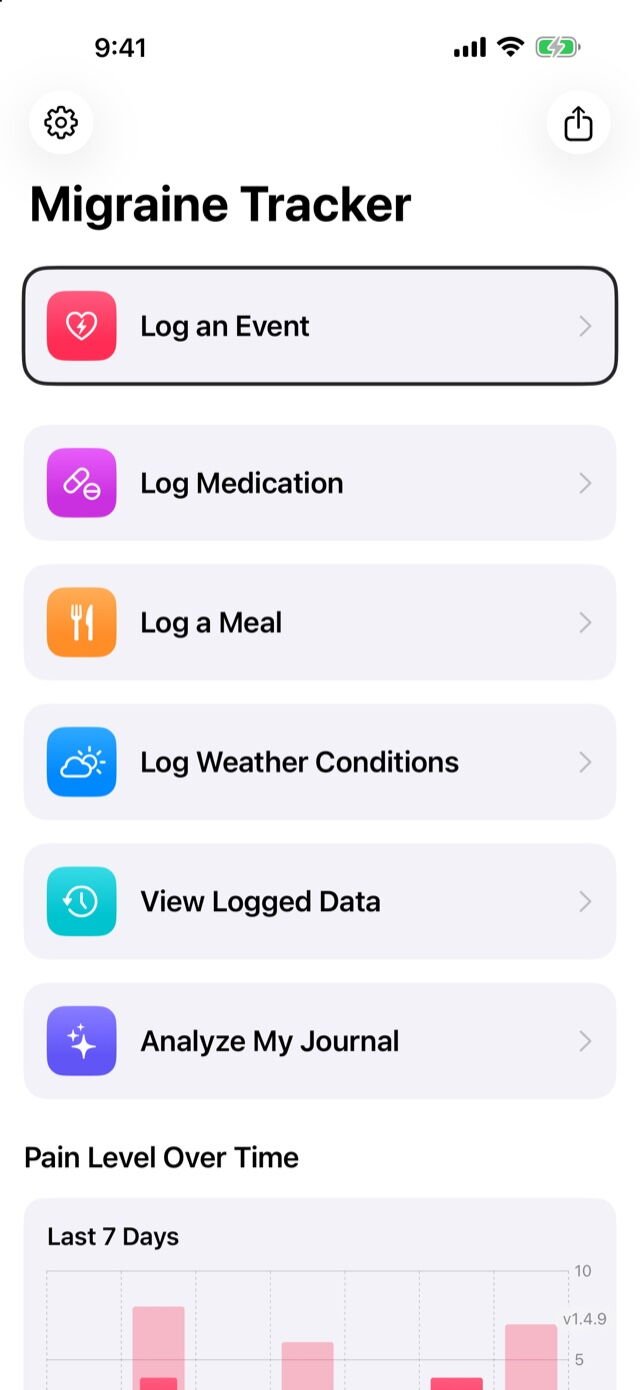
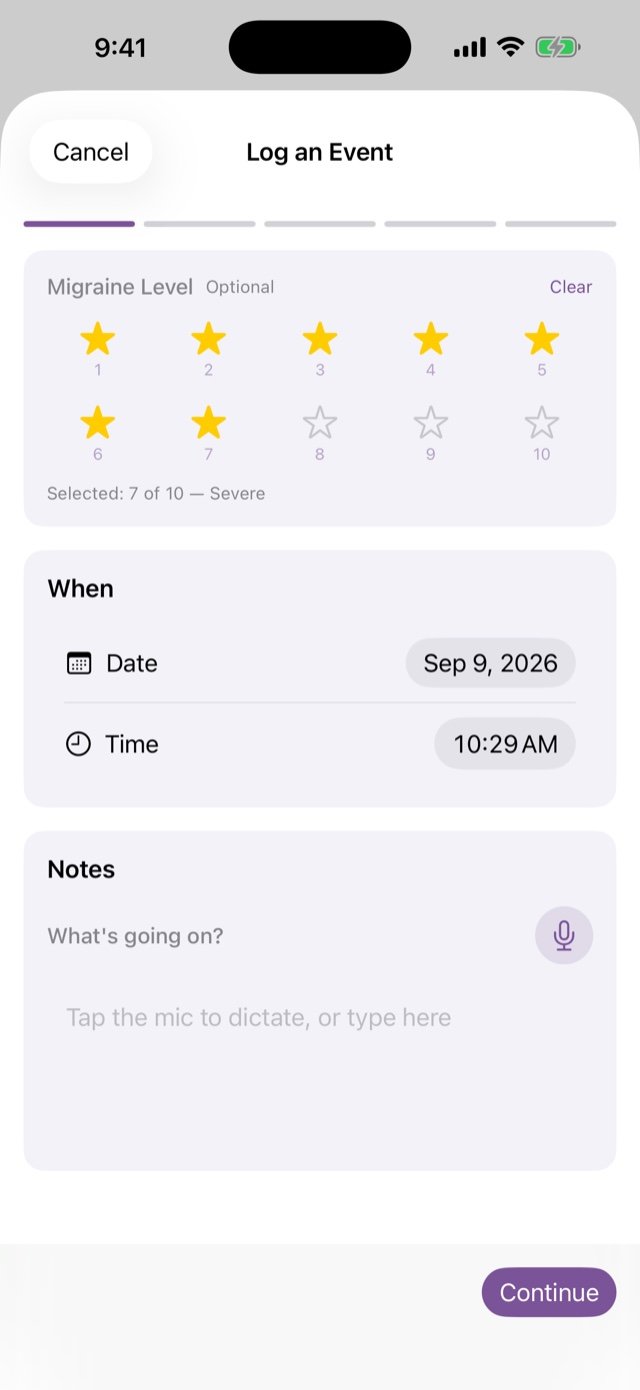
Rate the pain with stars, tap the symptoms, then add what you ate, what you took and the weather. Every text field has a dictation button, so you can talk instead of typing.
Meals, medication and weather
Log them as part of an event or on their own. Save your regular medications and symptoms once, then pick them from a checklist.
One tap for the weather
Fetch the current conditions and the app writes a one-line summary for you. Weather data comes from Apple Weather.
Mark exactly where it hurts
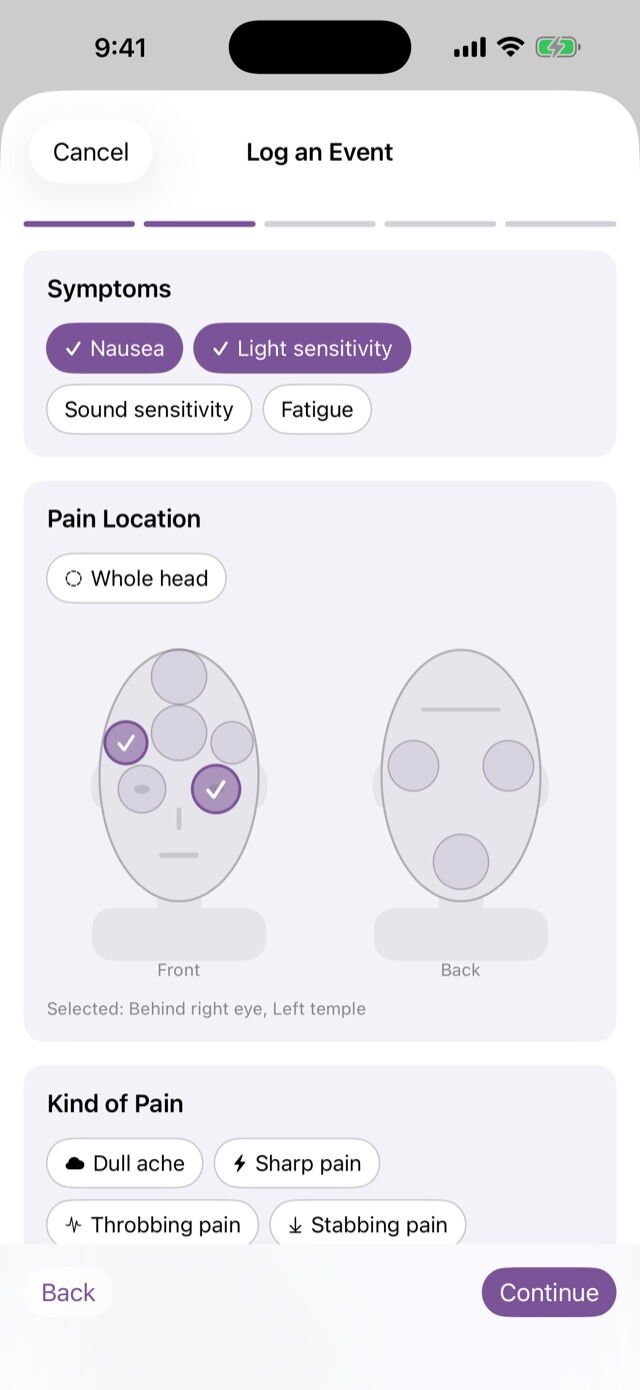
A front and back head diagram lets you mark where the pain is, and tags describe the kind of pain, from a dull ache to a stabbing one.
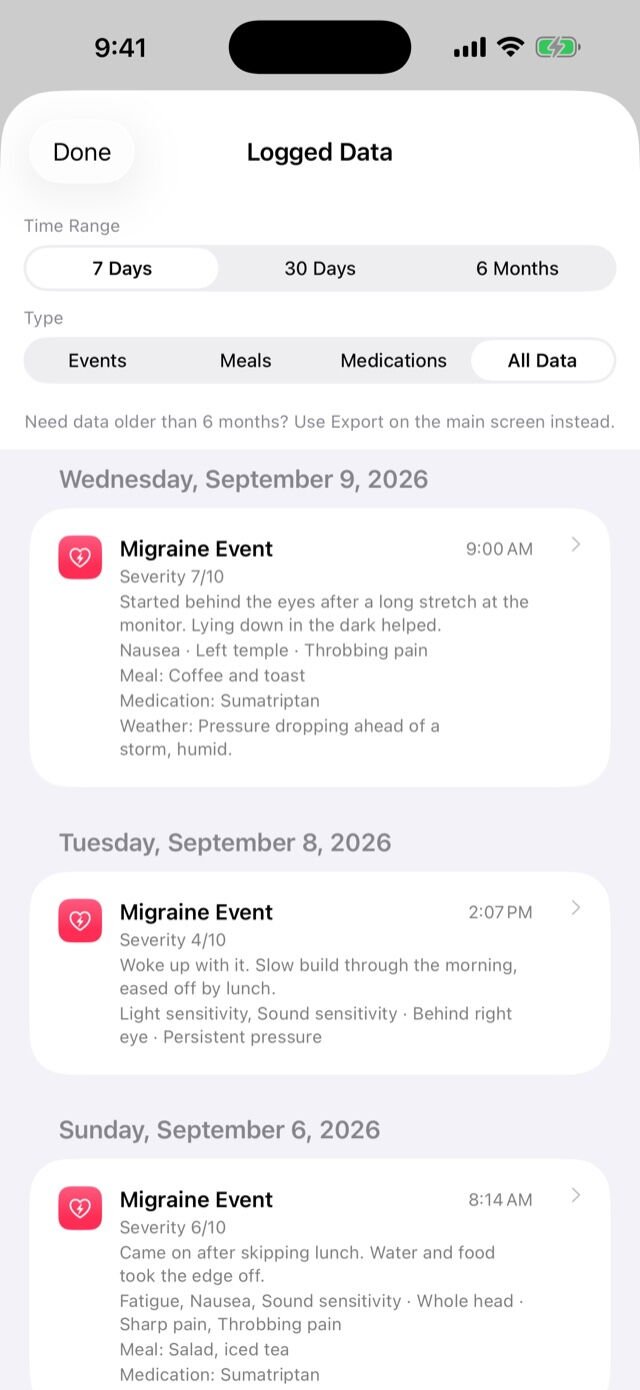
Everything you log goes into one list that you can filter by time range and by type, so you can look back at a week or at six months.
See the pattern, then share it
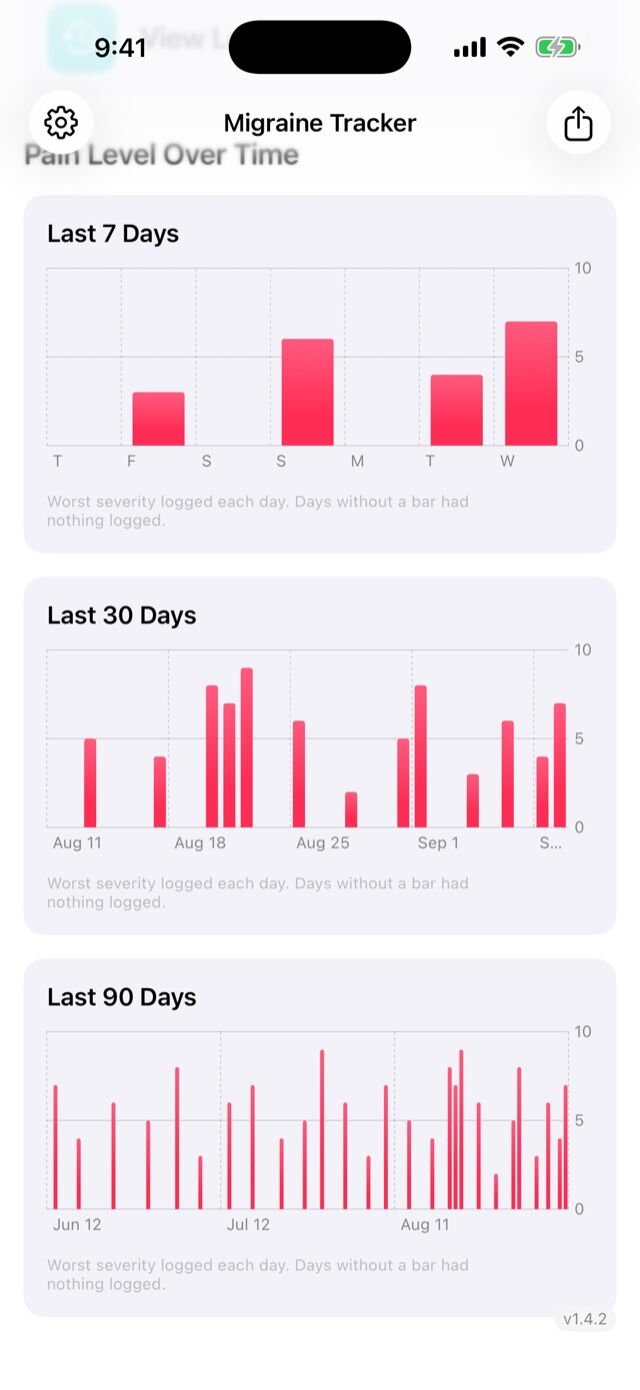
Charts show the worst pain you logged each day over the last 7, 30 and 90 days, so patterns you would never notice day to day become visible.
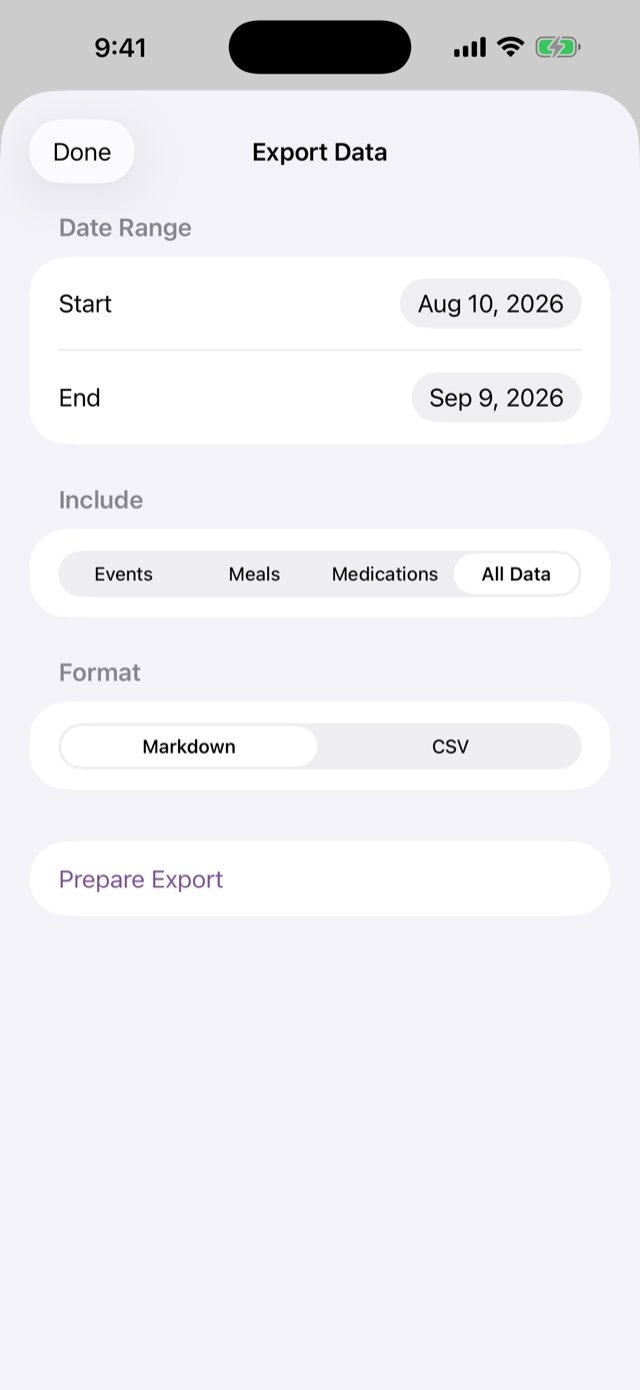
Before an appointment, export your entries as Markdown or CSV for any date range and send them to your doctor from the share sheet.
Your devices stay in step through iCloud
Migraine Tracker uses your own iCloud account to keep your entries on every iPhone, iPad and Mac you use. Log a migraine on your phone and it appears on your iPad. Add a medication on one device and it shows up on the others.
A private database in your iCloud
Entries sync through Apple’s CloudKit, in a private database tied to your Apple ID that only your signed-in devices can reach. Nothing is sent to a server of mine.
Encrypted before it leaves your device
Notes, meals, medications and other free text are encrypted on your device before they are saved or synced, so iCloud only ever holds scrambled text. The encryption keys travel between your devices through iCloud Keychain, so turn that on for each device. Without it, entries still sync but the encrypted text shows blank on a device that does not have the key.
See that it is working
Preferences has an iCloud Sync screen. It shows whether sync is on, whether you are signed in to iCloud, which database the app uses, and when it last downloaded and uploaded changes. Every device should show the same database.
No iCloud, no problem
Without an iCloud account the app works as before and keeps everything on that one device.
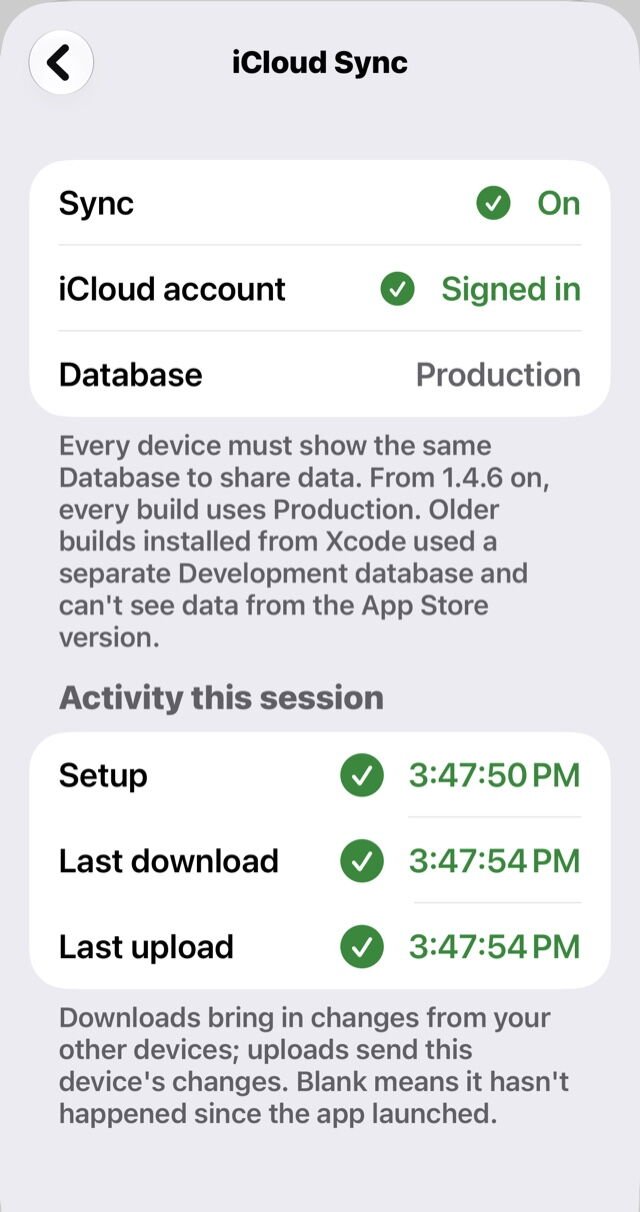
Preferences, iCloud Sync, on an iPhone with sync turned on.
Private by design
There are no servers, no analytics and no ads, and the developer never sees what you log. Entries are encrypted on your device, and optional iCloud sync uses your own private iCloud account to keep your iPhone, iPad and Mac in step.
The app locks behind your device’s own Face ID, Touch ID or passcode, locks again whenever you leave it, and hides your entries in the app switcher.